 Nomel Labs
 FictionlyFanfic EPUB reader for Android
An EPUB reader made for fanfiction
Read your fanfiction and web serials offline, in one library on your phone. When a story gets new chapters, download it again and Fictionly merges them into the book you are already reading.
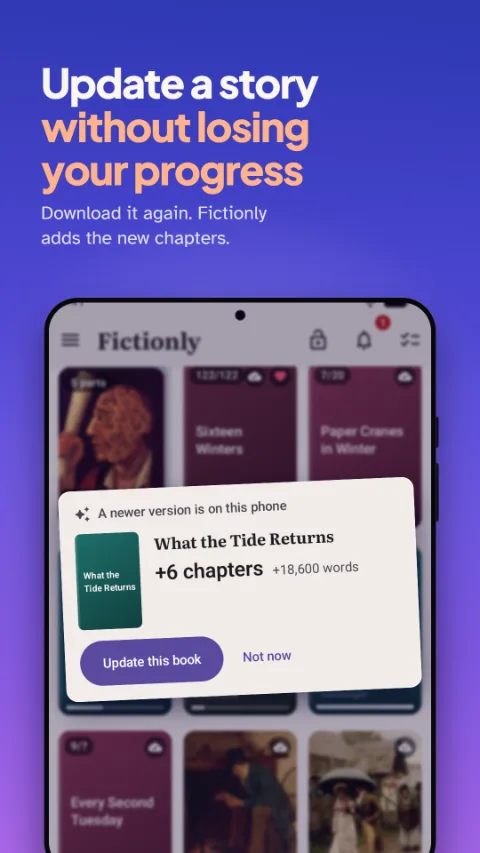
New chapters, merged into the book you are reading
A story you follow gets three more chapters, so you download it again. Now two copies sit on your phone, and the fresh one starts at chapter one.
Fictionly recognises that both files are the same story. It lists the chapters that are new or rewritten, and changes nothing until you say so.
- Spots a newer file of a story you already have, in Downloads or any folder
- Lists what is new or rewritten before anything happens
- Keeps your place, your highlights and your notes
- Undo it afterwards, or go back to the older file at any time
Bring your own books
Fictionly doesn't browse or download from any fanfiction site. Add the files you already have: pick them yourself, let the app find the books on your phone, or choose a folder for it to watch.
EPUB and PDF open straight away. MOBI and AZW3 are turned into EPUB when you add them, as long as they are not copy protected.
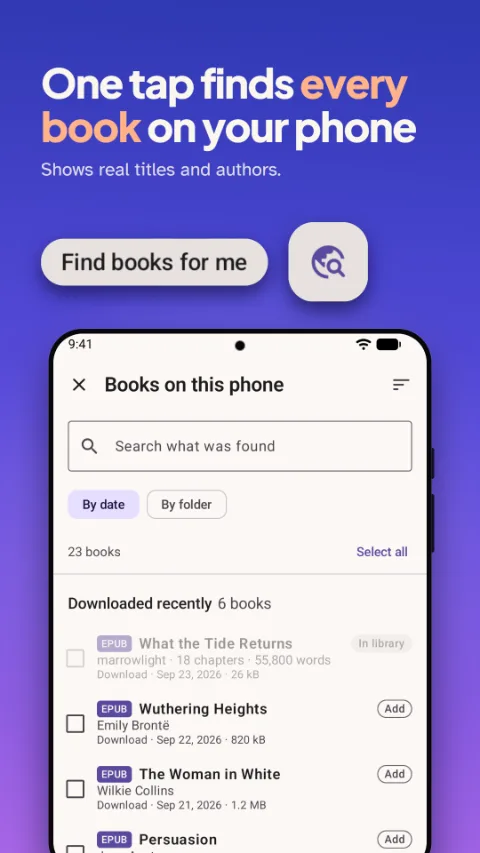
Every book on your phone, in one place
The app lists the book files on your phone, grouped by folder, each with the real title and author from inside the file. Not the file name, which after a download is usually a row of numbers.
It marks which books are already in your library, which are newer versions of stories you follow, and which are older copies. It only reads them and leaves them where they are.
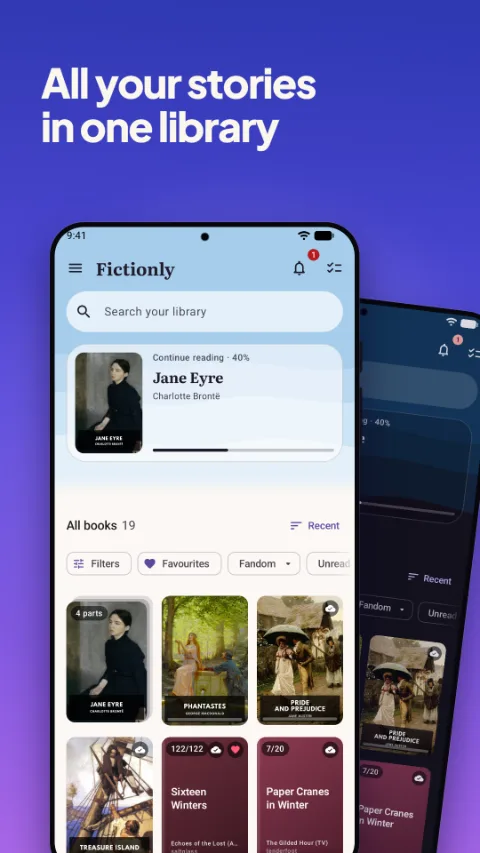
A library built for fanfiction
- Shelves for Reading, Waiting for new chapters, Later, Finished and Dropped
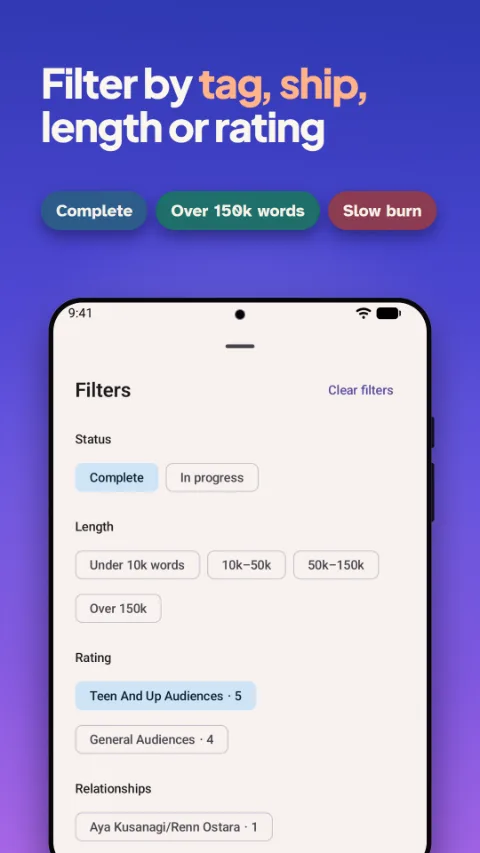
- Filters for fandom, rating, relationships, characters, tags, length and status
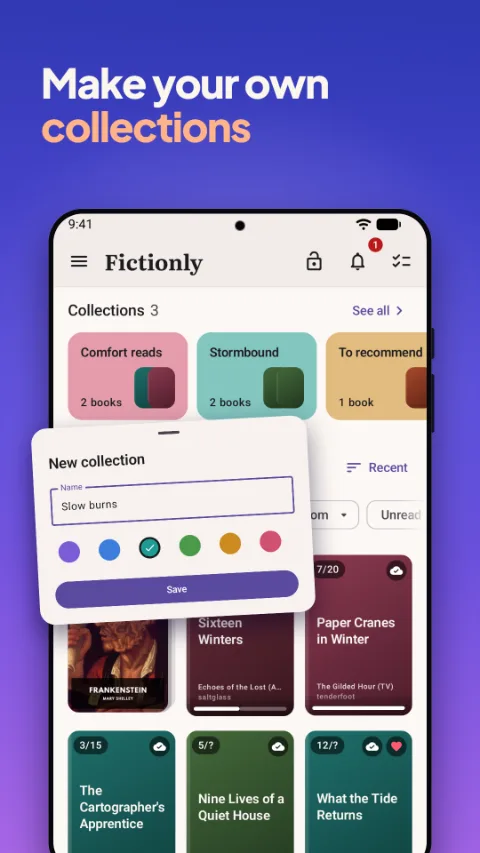
- Collections with your own names and colours
- Series kept together, light novel and manga volumes too
- Export your library, reading log and highlights as a spreadsheet
A reader for long stories
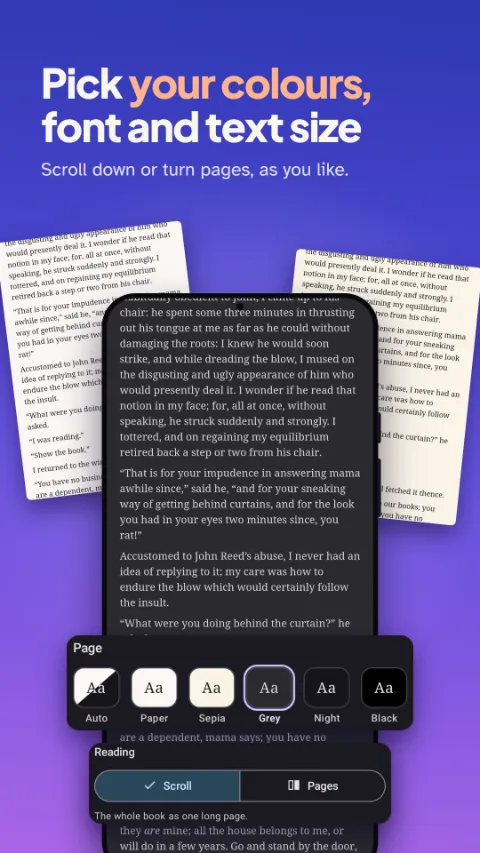
- Read the whole book as one long page, or turn pages
- Numbers on chapters that only have names, and author's notes you can hide
- Search inside a book, highlight passages and set bookmarks
- Six page colours, four fonts, your own text size and spacing
- Works offline, with no connection needed to read
No ads, no tracking, no account
Reading, updates, collections, highlights and the export are there for everyone, and they will stay that way.
Your books stay on your phone. With sync turned on, they go to a folder in your own Google Drive and nowhere else. Fictionly never changes or deletes your original files.
Fictionly Plus
One purchase. No subscription.
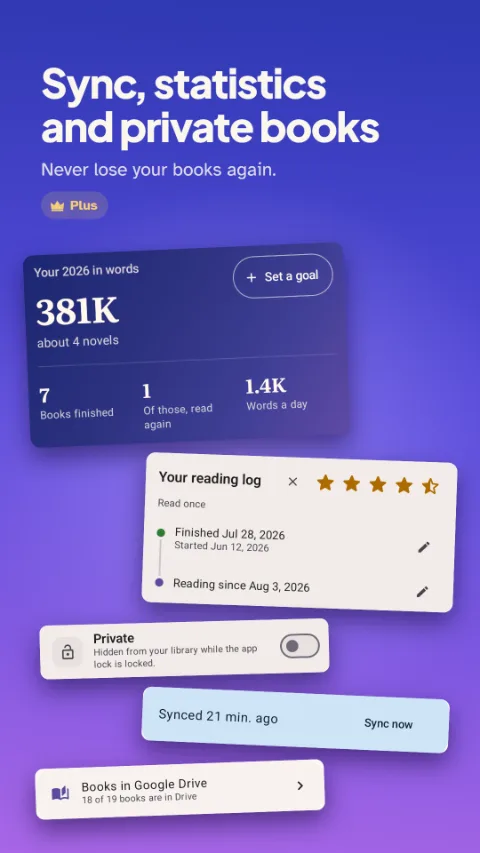
- Sync with your own Google Drive: books, highlights, collections and where you got to
- Private books and an app lock with a code, your face or your fingerprint
- A full backup in one file, ready to restore on a new phone
- Reading log with your own ratings, notes, dates and re-reads
- Statistics and yearly reading goals
Questions about Fictionly
Can Fictionly update a fanfic without losing my place?
Yes. Download the story again and Fictionly recognises it as the book you already have. It lists the chapters that are new or rewritten and merges them in only when you confirm. Your reading position, highlights and notes stay, and you can undo the update or go back to the older file at any time.
Which file formats does it open?
EPUB and PDF open straight away. MOBI and AZW3 files are converted to EPUB when you add them, as long as they are not copy protected.
Does Fictionly work with AO3 downloads?
Yes. Download a work from Archive of Our Own (AO3) as an EPUB and Fictionly opens it like any other book. It reads the details at the front of the file, such as fandom, rating, relationships, characters and tags, so you can filter your library by them. When the work gets new chapters, download it again and Fictionly merges them into the copy you are reading. Fictionly is an independent app and is not affiliated with or endorsed by AO3 or the Organization for Transformative Works, which runs it.
Does Fictionly download stories from fanfiction sites?
No. It does not browse or download from any website. You add the files you already have, pick a folder for it to watch, or let it find the book files on your phone.
Does it work offline?
Yes. Reading needs no connection at all. Only the optional sync with your own Google Drive uses the internet.
What does Fictionly Plus add?
Plus is a single purchase with no subscription. It adds sync with your own Google Drive, private books with an app lock, a full backup in one file, a reading log with ratings and notes, and reading statistics with yearly goals. Reading, updates, collections, highlights and the export stay available to everyone.
Does Fictionly collect my data?
No. There are no ads, no tracking and no account. Your books, notes and reading data stay on your phone. If you turn on sync, they go to a folder in your own Google Drive and nowhere else. We only receive something from you when you send us feedback from the app. The privacy policy has the details.
All your stories in one library
Fictionly is free on Google Play, for Android 7 and newer. Fictionly Plus is an optional one-time purchase.
Questions or a bug
If something is broken or you have an idea for it, the support page says what helps us most, and there is a form there. You can also write to support@nomellabs.com.
Google Play, the Google Play logo and Google Drive are trademarks of Google LLC.